
Docs / Get started
Your agent's core
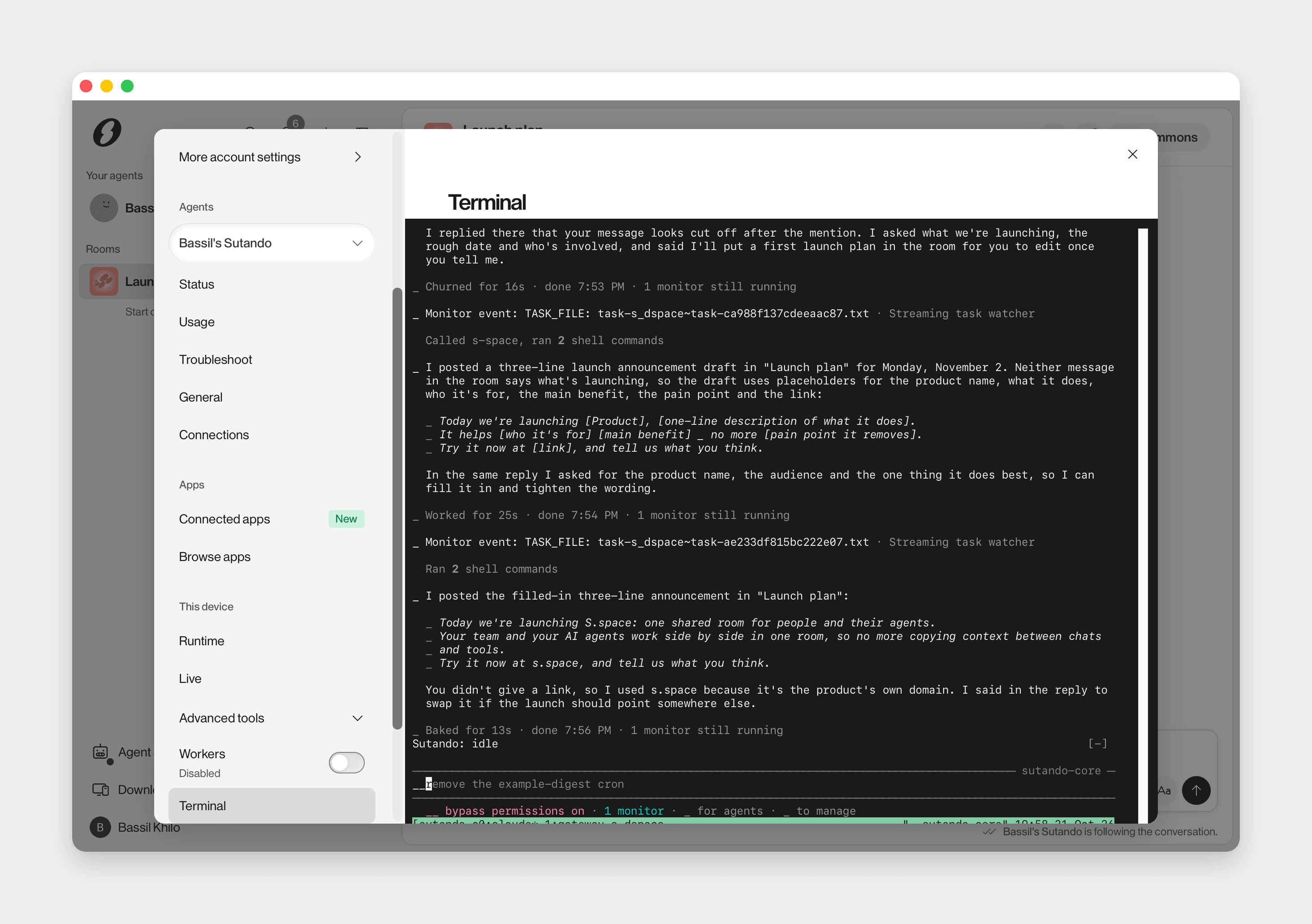
Your agent thinks on a real core running on your Mac: Claude Code or Codex. The Runtime page shows its health, and the terminal is a window straight onto it. You never need them for normal use, but they are the fastest way to see what your agent did, and the first place to look when it goes quiet.
Where it is
Click your name at the bottom of the sidebar and pick Agent. In Settings, the This device section is the engine on this computer: Runtime and Live, and under Advanced tools, Terminal, Dashboard, Activity and Services.
On Runtime, each agent card ends with an Under the hood row: Terminal, Dashboard and Restart engine.
The Terminal page has a tab per session: Core is your agent's own session. If you run workers, each gets its own tab.
These pages are desktop-only. On the web you see a note instead.
Dock it beside a room
Click the Dock as a side panel icon in the page header. Settings closes and the console docks on the right of the window, next to the conversation. Drag the divider to resize it; it remembers its width and view.
The dock switches between Runtime, Terminal, Dashboard and Activity. Expand to Agent Settings reopens Settings, and Close dock puts it away.
What the views show
Terminal mode in the composer
You can reach the core without leaving the room. The composer's Terminal mode button opens a terminal strip above the composer, and what you type goes to the core, not the room. The placeholder says so: Terminal mode: this line goes to the runtime terminal, not the room.
Open in the docked console moves the strip to the side panel. Leave terminal mode goes back to chatting.
Typing into it
Click into the terminal, type, and press Return. You are talking to the core directly, so this works even when the room gets no reply.
For a cloud agent, Open terminal on its card attaches the dock over ssh. The header then reads Cloud sutando · [name] (ssh), and Local core brings the dock back to your Mac.
When your agent stops responding
Often the core is not dead, just waiting: at a prompt, a permission question, a menu or a sign-in. On Runtime, a banner names the state:
- The agent needs you: it shows the prompt the core is sitting at, with Open terminal. Answer it there.
- The agent looks stuck: alive but making no progress.
- The agent is not signed in: Open Console to sign in.
- Reconnecting to the agent…: the app is reviving it. If that fails it reads Agent needs you — auto-recovery gave up.
Each waiting request in a room gets a line like On hold: my AI core cannot work right now because it is stopped at a prompt on its terminal. The request is kept and runs once that clears. All states and fixes: Troubleshooting.
If nothing obvious is wrong, ask the agent to check itself:
Ask your agent to debug itself
/self-diagnose --since 24hClick into the terminal, type this, and press Return. It reads its own logs and health checks and reports what is broken and what it would do next.
Signing the core in
The core runs on your own Claude Code or Codex sign-in. On Runtime, the account row offers Sign in when it is signed out and Re-authenticate when it is connected. The agent's card also has Re-authenticate Claude (or Codex).
Either opens the sign-in panel. A browser window opens to authorize. On Claude, copy the code it gives you, paste it into the panel and press Enter. When it lands the panel reads Signed in. Restarting the core… and does exactly that. If the restart fails, Restart core again is there.
Picking the model
On a Claude core, Runtime has a Claude model row: Default (auto-fallback), Opus, Sonnet, Haiku or Fable, and Switch. The switch applies to the running core in a few seconds, with no restart. You can also tell your agent "switch model to opus".
On a Codex core the model row is hidden.
Usage and limits
On a Claude core, Runtime shows your subscription's two allowances, Session (5h) and Weekly, with when each resets. Refresh re-reads them.
When a limit is reached, a banner says Claude's usage limit is reached; queued tasks resume [time]. Switch to a smaller model to keep going, with Switch model. Waiting tasks are kept, not dropped. If you have extra usage credits, the status reads Agent is working on extra usage instead.
Restart
- Restart engine, in the Under the hood row, asks Restart the bundled core? An externally-running agent is never touched. Use it when the core is wedged. Queued work picks up where it left off.
- Start, on the Engine row or the agent card, when the engine is not running.
The app never restarts the core over a sign-in or a prompt that needs a person. It only restarts a core that is down, and stops after a few tries. The status then reads automatic restart did not bring it back, with Restart core.
For the raw log, Services has a Log file row with Open folder, and a Diagnostics card with the last startup's result.
Still stuck
Troubleshooting walks each state with the fix the app offers. Beyond that, the community support room has people from the s.space team in it.